
FullRecall for Android
Current release: 1.12, released: 2017-06-12.
You can download FullRecall from Google Play or directly from here: FullRecall.apk (1399 KB).
Hints
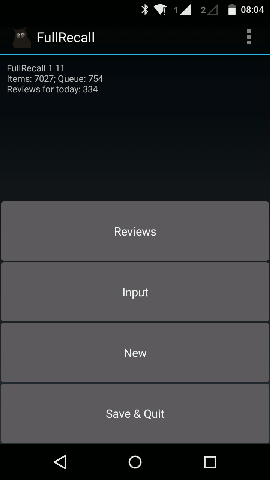
- Long-click on Reviews/Force/New allows to select active category. Long-press on "Input" turns on a mode where items (without a grade) go into the queue.
- Network related options (i.e., autosync/import/export) are available (i.e., not greyed-out) only when user's registration data is set in Options and when device is connected to the Internet.
- To use a custom .ttf font for question/answer fields: font file(s) (files ending with ".ttf") need to be put in main SDCARD directory or in a direct subdirectory of SDCARD called "FONTS" (case sensitivity doesn't matter), and it will be then available in FullRecall's settings.
- Default path to database directory is unavailable to other applications, but you can change the path and during selecting another directory, FullRecall proposes to create a new database or (if current database is not empty) move or copy existing (already opened) database there; directories on SD card are available to other applications; if you want to migrate FullRecall from/to Android, you can just copy the database directory.
FullRecall rely on menu-button, while some new Samsung devices don't display it. Here is a way to access menu button on some Samsung devices. Also, if a hardware keyboard is connected, then Ctrl+Esc brings up the menu.Since version 1.9 FullRecall displays a menu button on screen.
Recent changes
1.12 (2017-06-12)
- If there is no explicit font-color-per-current-category set and default font color has low contrast (low visibility) in the current background color, font color is automatically set to black or white, depending on which has greater contrast.
- Fixed typos in new Settings.
- Fixed some problems with screen orientation change.
1.11 (2017-06-10)
- Implementation of colors-per-category (background and fonts). Child-categories (subcategories) inherit colors from parents. The colors can be changed by long-click on "Reviews" or pressing "Input", then long-click on a category, then picking "Change colors" from menu "Edit".
- Possibility to set default background color and default font color in Settings.
- Explicit use of Holo Theme (may fix visual inconsistencies on some devices).